
TunedBooks demo: the app, running
This one-minute screen recording shows the TunedBooks web app at app.tunedbooks.online in use. It is the same app available on Android and iOS, with the same account and data. A short description of each screen follows the video.
What each screen does
-
Creating an invoice
An invoice is built one line at a time with the Add Line Item button. Invoices then show on the dashboard, counted as draft, sent or paid.
-
The dashboard
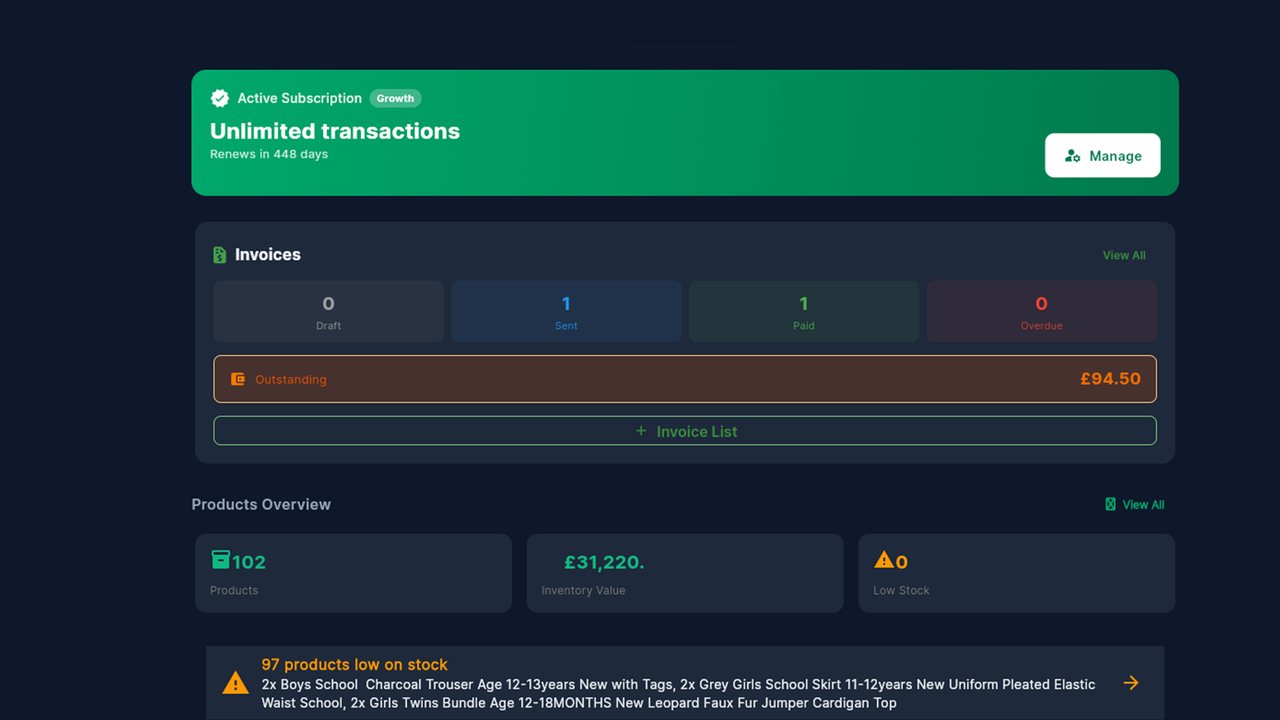
The dashboard is the first screen after signing in. It shows the subscription status, how many invoices are in draft, sent and paid, a shortcut to add a product, and a products overview. The sidebar leads to Transactions, Create Invoice, Till Mode, Business Intelligence, Expenses, Reports and TunedReach.
-
Allowing the camera
The browser asks whether app.tunedbooks.online may use the camera, with the choice to allow it while visiting the site, allow it every time, or never allow it. The app gets no camera access unless you allow it.
-
Connecting your shops
In Settings, the e-commerce section has the button to connect a Shopify store, with eBay listed below it. Once a shop is connected, its orders sync into TunedBooks. The same screen holds the VAT and tax return settings, and TunedReach under marketing.
Try it yourself
The free plan needs no card. Use the app on your phone or in the browser.